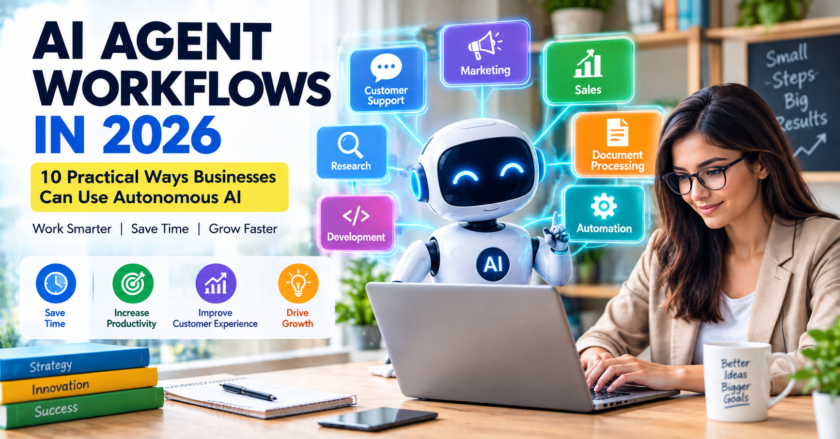
Artificial intelligence is no longer only a technology for large companies. In 2026, small businesses can use AI tools to handle repetitive work, improve customer service, create marketing content, analyze information, and make better use of limited resources.
The key is not to use AI everywhere at once. A better approach is to start with one useful business problem, measure the results, and gradually expand AI into other workflows.
In this guide, we explain 10 practical ways small businesses can use AI in 2026, along with tips for choosing tools and using AI responsibly.
Table of Contents
- Why AI Matters for Small Businesses
- 1. Create Marketing Content Faster
- 2. Improve Customer Service
- 3. Save Time on Email
- 4. Manage Social Media
- 5. Research Customers and Competitors
- 6. Summarize Documents and Meetings
- 7. Support Sales Teams
- 8. Automate Repetitive Tasks
- 9. Analyze Business Data
- 10. Improve Business Planning
- How to Use AI Safely
- Common AI Mistakes to Avoid
- Frequently Asked Questions
Why AI Matters for Small Businesses
AI adoption is growing across businesses. Stanford's 2026 AI Index reported that 88% of surveyed organizations used AI in at least one business function in 2025, although the level of adoption varies by industry and task.
For a small business, the biggest opportunity may not be replacing employees. Instead, AI can help people spend less time on repetitive tasks and more time on customers, strategy, creativity, and other high-value work.
Common opportunities include marketing, customer support, administration, research, sales, document processing, and data analysis.
1. Create Marketing Content Faster
Small businesses often need blog posts, product descriptions, advertisements, email campaigns, social media captions, and other marketing materials. Creating everything manually can take a significant amount of time.
AI can help create first drafts that a human can then review and improve.
Examples
- Blog post outlines
- Product descriptions
- Email campaigns
- Social media captions
- Advertisement ideas
- Marketing headlines
The best results usually come when AI handles the first draft while a person adds the company's real experience, expertise, tone, and facts.
2. Improve Customer Service
AI assistants and chatbots can help answer common customer questions about products, services, opening hours, shipping, appointments, and other routine topics.
This can help small teams respond more quickly without requiring employees to answer every repetitive question manually.
However, businesses should provide a clear way for customers to reach a human when a question is complicated or sensitive.
3. Save Time on Email
Email can consume a large amount of time for business owners and employees. AI can help summarize long conversations, draft replies, organize information, and improve the clarity of messages.
For example, instead of asking AI to send an email automatically, a business owner can ask AI to create a draft and then review it before sending.
4. Manage Social Media
AI can help small businesses create a consistent social media workflow.
- Generate content ideas
- Create caption drafts
- Turn a blog post into multiple social posts
- Create content calendars
- Rewrite posts for different audiences
Businesses should still review every post before publishing, especially when AI-generated content includes prices, dates, product specifications, or claims about customers.
5. Research Customers and Competitors
AI can help organize research and identify patterns in publicly available information.
A small business might use AI to compare competitors, organize customer feedback, summarize industry reports, or brainstorm new product ideas.
Important facts should always be checked against reliable sources before they are used in business decisions.
6. Summarize Documents and Meetings
Small businesses often work with proposals, meeting notes, reports, contracts, presentations, and other documents.
AI can help summarize lengthy material and identify action items.
Before uploading confidential documents, however, businesses should check their AI provider's privacy controls and their own company policies.
7. Support Sales Teams
AI can help sales teams prepare customer communications, organize leads, summarize conversations, and create follow-up drafts.
For example, after a customer meeting, an AI assistant could help turn notes into a structured list of follow-up tasks.
Human review remains important because sales communications can contain customer-specific information and commitments.
8. Automate Repetitive Tasks
Automation is one of the most useful AI opportunities for small businesses. Tasks that follow predictable steps may be good candidates for automation.
Examples include:
- Appointment reminders
- Basic customer questions
- Internal notifications
- Document classification
- Routine data entry
- Simple reporting
Start with a small workflow instead of trying to automate the entire business at once.
9. Analyze Business Data
AI can help businesses find patterns in spreadsheets, sales information, customer feedback, inventory data, and other structured information.
For example, a retailer might use AI to identify which products are selling quickly or which periods have unusually low sales.
AI-generated analysis should be checked against the original data before important financial or operational decisions are made.
10. Improve Business Planning
Business owners can use AI as a brainstorming and planning assistant.
AI can help explore:
- New product ideas
- Marketing strategies
- Customer personas
- Business processes
- Potential risks
- Growth opportunities
AI should support business judgment rather than replace it. Owners still need to consider their customers, market conditions, finances, competitors, and real-world experience.
How to Use AI Safely in a Small Business
Using AI effectively also means protecting business information.
- Do not paste passwords or API keys into AI tools.
- Be careful with customer information.
- Do not upload confidential documents without authorization.
- Review AI-generated information before publishing it.
- Use strong passwords and multi-factor authentication.
- Give connected AI applications only the permissions they need.
For a more detailed guide, read: How to Use AI Safely in 2026: 10 Important Privacy and Security Tips .
Common AI Mistakes to Avoid
Using Too Many Tools
Small businesses do not need dozens of AI subscriptions. Start with the tools that solve real problems.
Publishing AI Content Without Review
AI-generated content can contain factual errors, repetitive language, or incorrect information. Always review important content before publishing.
Sharing Confidential Information
Employees should understand what information can and cannot be entered into AI systems.
Automating Important Decisions Completely
AI can assist with decisions, but important financial, legal, customer, and employment decisions may require human judgment and review.
AI for Small Businesses: Quick Comparison
| Business Area | How AI Can Help | Human Review |
|---|---|---|
| Marketing | Content drafts and ideas | Yes |
| Customer Service | Answer common questions | For complex cases |
| Draft and summarize messages | Yes | |
| Research | Organize information | Verify facts |
| Data Analysis | Find patterns and trends | Yes |
| Automation | Handle repetitive workflows | Set limits and monitor |
How to Start Using AI: A Simple 30-Day Plan
Week 1: Find One Problem
Choose one repetitive task that takes too much time.
Week 2: Test an AI Tool
Use an appropriate AI tool with non-sensitive information and measure how much time it saves.
Week 3: Improve the Workflow
Create a repeatable process and define where human review is required.
Week 4: Measure the Results
Compare the new workflow with the old process. Look at time saved, quality, cost, customer experience, and errors.
If the results are positive, consider applying the same approach to another business process.
Related Articles
- 10 Best AI Tools in 2026
- AI Trends 2026 for Businesses
- Shadow AI Workplace Security Risks in 2026
- ChatGPT vs Gemini vs Claude in 2026
Frequently Asked Questions
Is AI useful for small businesses?
Yes. Small businesses can use AI for marketing, customer service, administration, research, data analysis, and repetitive workflows.
How should a small business start using AI?
Start with one simple, measurable workflow. Test the AI tool, review the results, and expand only after the process works reliably.
Can AI replace employees in a small business?
AI can automate some tasks, but businesses should evaluate each workflow carefully. In many cases, AI is most useful as a tool that helps employees work faster rather than as a complete replacement for people.
Is AI expensive for small businesses?
Costs vary by tool and usage. Many AI services offer free or relatively low-cost options, allowing businesses to test a workflow before making a larger investment.
What is the biggest AI risk for small businesses?
Risks include inaccurate information, privacy problems, security weaknesses, uncontrolled automation, and employees using unapproved AI services.
Final Thoughts
AI gives small businesses access to capabilities that were previously available mainly to larger organizations. The most practical approach is to start small, focus on measurable problems, and keep people involved in important decisions.
Whether you use AI for marketing, customer service, research, automation, or data analysis, the goal should be simple: use technology to save time, improve the customer experience, and help your business make better decisions.
The businesses that get the most value from AI will not necessarily be the ones using the most tools. They will be the ones using the right tools for the right problems.
About WriteHubDaily
WriteHubDaily publishes practical articles about artificial intelligence, technology, business, productivity, digital trends, and online safety.